
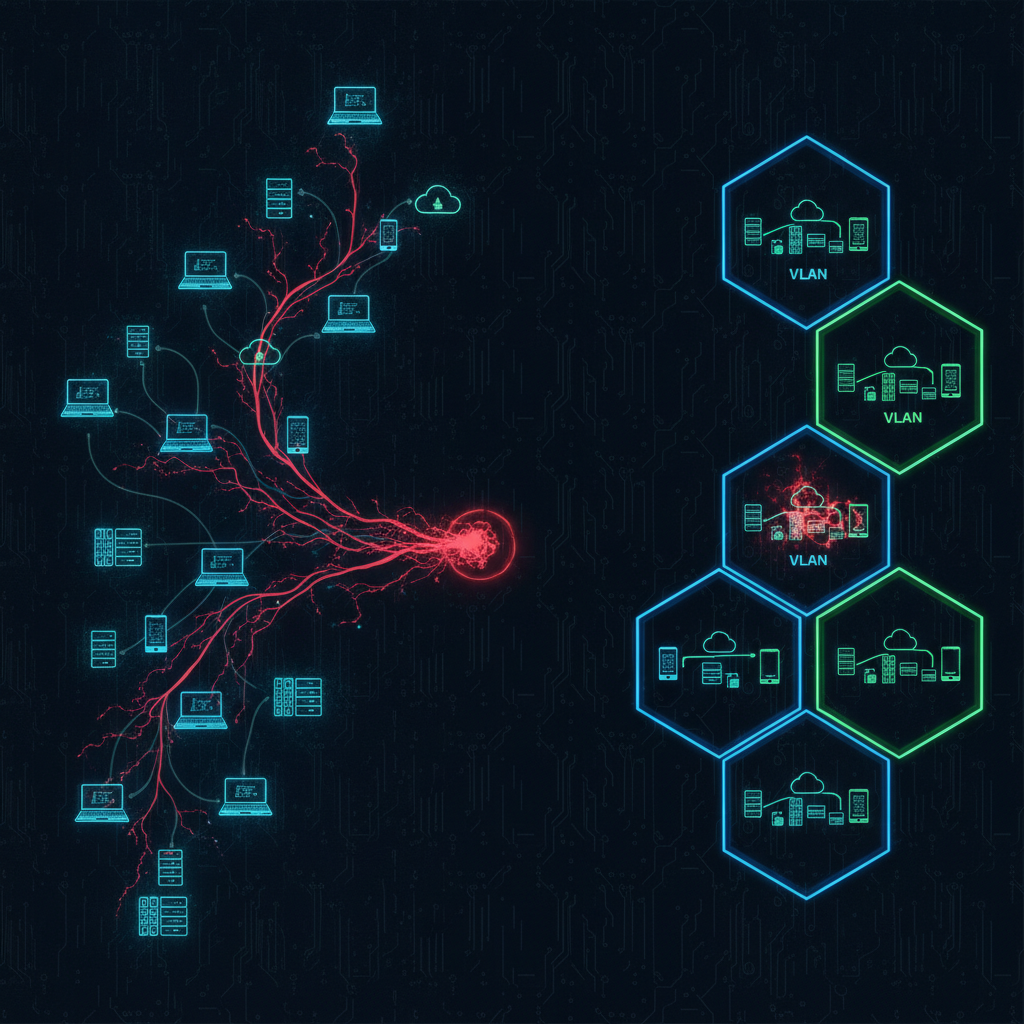
If your network is flat — every device, every server, every laptop able to talk to every other device without restriction — you're not alone. It's the default state for most small businesses. Nobody sat down and decided to skip segmentation; it just happened, because setting up VLANs takes time, firewall rules are a hassle to maintain, and the network has always 'just worked' without it.
Then one device gets compromised, and 'just working' becomes the problem.
This Isn't Theoretical — It Happened Three Times This Week
You don't need a hypothetical to understand why segmentation matters. This week alone produced three real-world examples of what an unsegmented network lets an attacker do once they get a single foothold.
A remote management tool became a launchpad. According to The Hacker News, attackers exploited a critical ScreenConnect flaw that let a guest session execute a malicious payload directly on a connecting technician's machine. On a segmented network, that compromised technician PC is boxed into its own zone. On a flat network, it's a direct bridge to every server, workstation, and share the technician's credentials could ever touch.
A router became the attacker's eyes. According to The Hacker News, a cloud management flaw in GL.iNet devices allowed attackers to install malware directly on routers and KVM devices. Routers sit at the boundary between network segments — if that boundary device is compromised and there are no segments behind it, the attacker has unrestricted visibility into every connected system from day one.
An SSRF flaw let attackers reach internal systems at will. According to The Hacker News, N-able disclosed a critical Mail Assure vulnerability — found during a breach investigation — that let an attacker-controlled request reach internal systems of the attacker's choosing. In a segmented environment, internal reachability is restricted by design, so even a successful SSRF exploit hits a wall instead of an open hallway.
Three different entry points. Three completely different vulnerabilities. One identical consequence: once attackers were inside, nothing stopped them from moving.
What 'Lateral Movement' Actually Costs You
Lateral movement is the technical term, but the business consequence is simple: a single compromised laptop, router, or app integration turns into a full-network incident. That means:
- Longer, more expensive incident response. Instead of isolating and rebuilding one machine, your IT team (or your MSP) now has to assume every connected system is potentially compromised.
- Broader data exposure. A breach that could have been contained to one department now touches finance, HR, and customer records because nothing separated them.
- Compliance failures. If you're a government contractor pursuing CMMC Level 1 or working toward other frameworks, an undocumented flat network is often a straight-line audit failure — segmentation is a baseline expectation, not a nice-to-have. Our CMMC Level 1 compliance guide breaks down what assessors actually look for.
- Higher cyber insurance premiums or denied claims. Insurers increasingly ask about network segmentation during renewal, and a 'no' answer can affect both pricing and payout.
How to Actually Fix This Without a Network Overhaul
You don't need to rip out your infrastructure this week. Start with the highest-value separations:
- Isolate management traffic. RMM tools, router admin panels, and backup systems should sit on their own VLAN, separate from general user traffic. This directly limits the blast radius of incidents like the ScreenConnect exploit — see our deeper breakdown in RMM security hardening for ScreenConnect and N-central.
- Separate IoT and peripheral devices — printers, cameras, smart devices, and routers — from the segment holding your servers and workstations. A compromised router shouldn't have a clear line of sight to your file server.
- Restrict internal system reachability by default. Instead of 'allow all' internal traffic, define what each segment is actually allowed to talk to. This is the control that would have limited the damage from the N-able SSRF flaw.
- Document and test it. A segmentation plan that exists only in someone's head isn't a control — it's a liability waiting for someone to leave the company.
This pairs directly with other hygiene basics — unpatched systems and flat networks are a dangerous combination, as we cover in what happens when you skip patch management.
Take Action
Segmentation reduces how far an attacker can get — but you still need to know where the openings are in the first place. Oscar Six Security's Radar scans your environment for exposed services, misconfigurations, and the kind of entry points attackers used in all three incidents above, for just $99 per scan. It won't rebuild your network for you, but it will tell you exactly what's reachable before an attacker finds out first.
See Oscar Six Security's Solutions
Focus Forward. We've Got Your Six.